For licensing coordinators and medical-staff teams

See who needs attention, why it matters, and what to do next.

Open the focus queue for deadlines, missing records, owners, and the work that needs a response.

Authentic local product viewSynthetic data · Private preview
The actual License Operations summary with synthetic clinicians, sources, license counts, exception count, and bounded section navigation.
License Operations overviewProves only bounded local summary metrics and available License Operations sections; it does not prove live sync or production activation.

A clear operating view for licensing teams.

Focus queue

See which renewals need attention now—and why.

Review past-due and upcoming renewals, see what is missing, and open the next task.

Authentic local product viewSynthetic data · Private preview
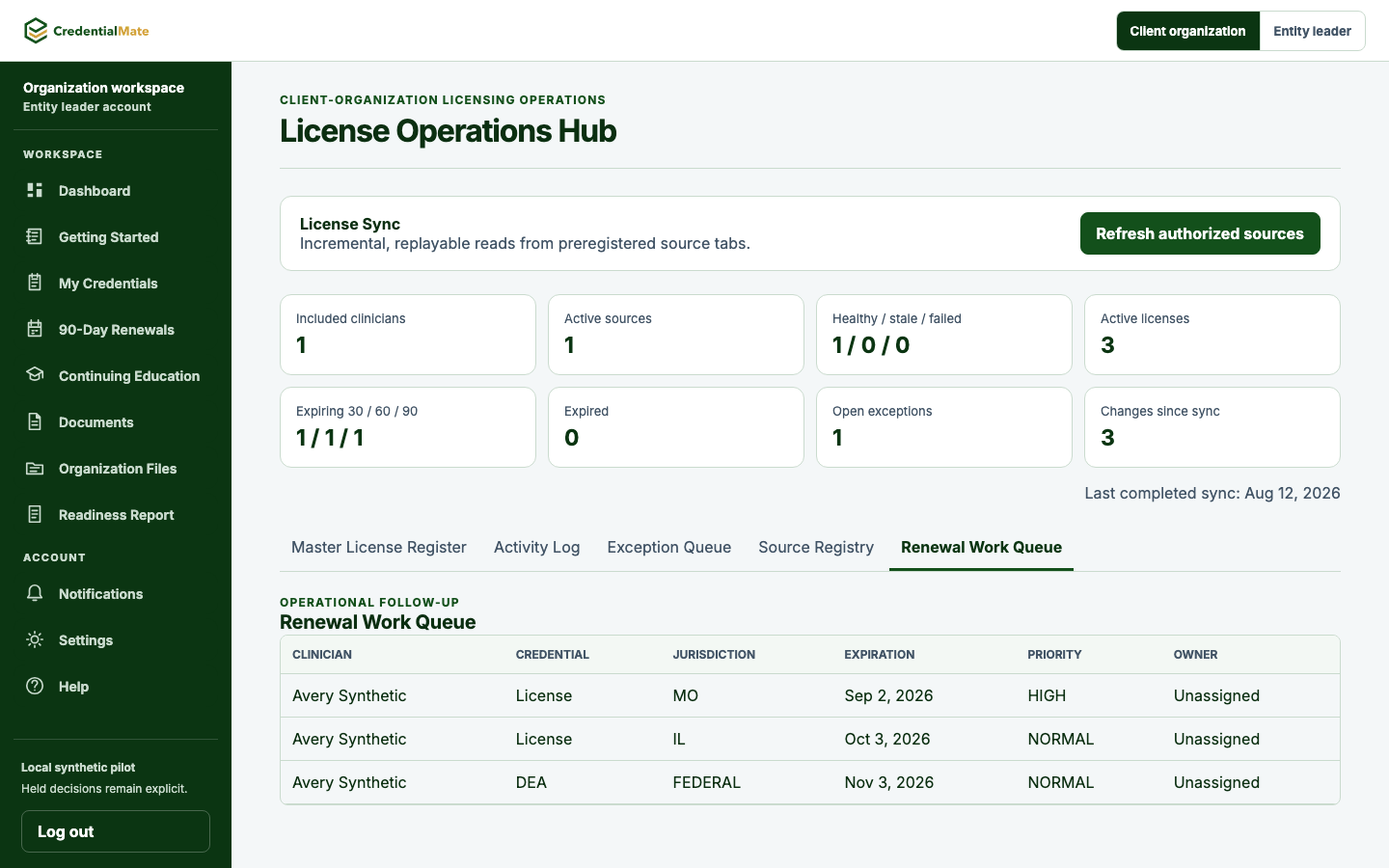
The actual Renewal Work Queue with three synthetic credential rows across 30-, 60-, and 90-day windows.
Renewal Work QueueProves only local prioritization of synthetic renewal rows and unassigned ownership; no renewal execution or production scheduling.
Status
Three active credentials prioritized
Due
One each in the 30-, 60-, and 90-day windows
Missing
One source-date exception requires review
Owner
Unassigned
Next action
Review the renewal queue

From status to action

A useful status shows the reason and next action.

Every status shows the reason, responsible person, deadline, and next action in one scan.

Authentic local product viewSynthetic data · Private preview
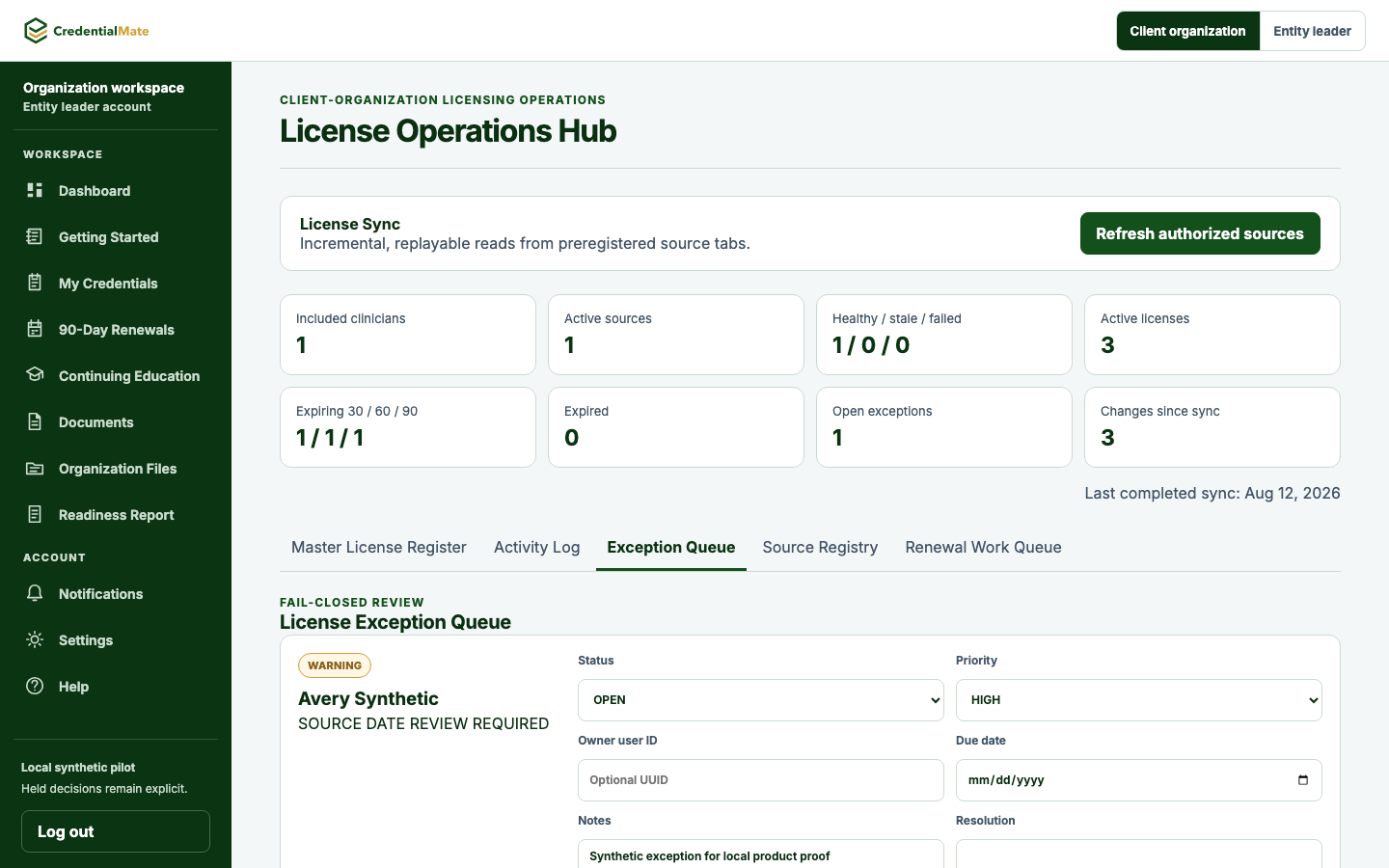
The actual License Exception Queue showing a synthetic warning, review status and priority controls, and empty optional ownership fields.
License Exception QueueProves only local review controls for an explicit synthetic exception; no automatic regulatory decision.
Status
One warning is open
Due
No due date assigned
Missing
Source date review required
Owner
Unassigned
Next action
Review and record a disposition

Renewal queue

See what is due now, awaiting a clinician, ready for review, and complete.

Prioritize and move credential renewals forward.

Authentic local product viewSynthetic data · Private preview
The actual Renewal Work Queue with three synthetic credential rows across 30-, 60-, and 90-day windows.
Renewal Work QueueProves only local prioritization of synthetic renewal rows and unassigned ownership; no renewal execution or production scheduling.
Status
Three active credentials
Due
One each in the 30-, 60-, and 90-day windows
Missing
No owner assigned
Owner
Unassigned
Next action
Review the prioritized rows

Responsibility stays visible

Keep every record, owner, and next action clear.

The team can see which work belongs to the licensing team, the clinician, or the next external step.

ResponsibilityOwnerWhat the team sees
Keep each credential's status, timing, and next action visibleCredentialMate workspaceThe team sees the current work queue
Maintain clinician records and supporting documentsLicensing teamSource records stay with the credential
Review documents and resolve record gapsCoordinator or clinicianFollow-up stays visible to the team
Complete approvals, portal actions, fees, and board responsesClinician, organization, or external stepThe next owner is clear

One shared roster. Clear next steps.

Ready · Review · Action needed

See what needs attention
Authentic local product viewSynthetic data · Private preview
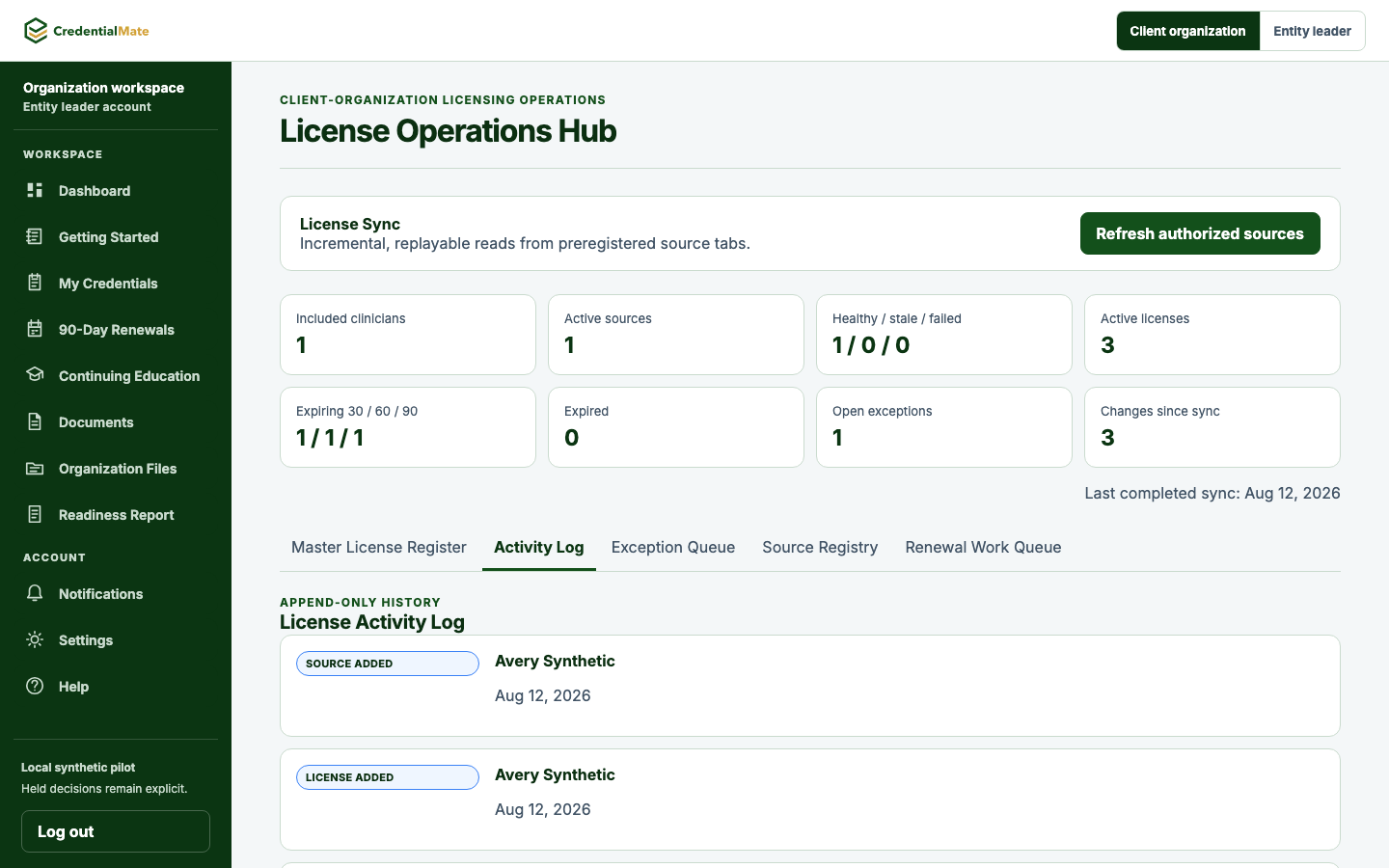
The actual License Activity Log showing the synthetic clinician and append-only event types with before/after payloads intentionally excluded.
License Activity LogProves only local append-only event presentation for the synthetic sync; hidden before/after payloads are not public proof.
Status
Append-only synthetic activity visible
Due
Latest sync event first
Missing
Before and after payloads intentionally excluded
Owner
Synthetic local source
Next action
Review history before acting

License record details

Keep proof, history, owner, and next action together.

See documents, activity history, owner, and next action for one license record.

Review practical questions

Questions for licensing teams

Straight answers about rosters, missing documents, ownership, and follow-up.

See how records, responsible people, and next actions stay visible to the people doing the work.

What can an organization see?

A shared view can keep clinician records, blockers, responsible people, documents, timing context, and next actions together for review.

How can a coordinator find the next task?

Each roster status can show the reason, responsible person, timing, and next action in the same view.

Can responsibilities stay with our internal team?

Yes. The workflow can keep internal ownership visible. Any additional support is separately scoped with customer-controlled steps retained.

How does record review stay visible?

The source record, interpreted status, review owner, and next action remain distinct so a team can see what was received and what still needs human review.

Can this fit alongside our existing workflow?

The readiness view is designed to keep ownership and next actions visible alongside customer-controlled processes. Any supported operating model requires separate scope confirmation.

Can a coordinator see supporting documents and history?

A license record can keep its supporting documents, activity history, owner, and next action together for review.

Bring clinician licenses, deadlines, missing items, and next actions into one view.

Start with the records, review states, owners, and next actions your team needs to see.